Failover and Failback are not compatible with Qumulo Core Version 7.3.1, 7.3.2 and 7.4.0
Anti-Virus Integration
Traditional malware scanning solutions often fall short in dynamic, high-performance environments. Here’s what organizations shared with us about their challenges with legacy systems:
- Limited Control
Relying on client-side scanning creates gaps in oversight for storage admins. - Performance Impact
Scanning processes often compromise storage performance, delaying client access. - Ineffective Timing
Scheduled scans are a risky alternative to real-time scanning, as they miss critical threats due to lengthy intervals. - Trust in Proven Technology
Enterprises demand integration with reputable security solutions, not unproven alternatives.
Yuzuy provides a complete answer to these enterprise needs.
Yuzuy’s Anti-Virus Integration is designed to align with enterprise-grade security requirements:
Event-Based Detection
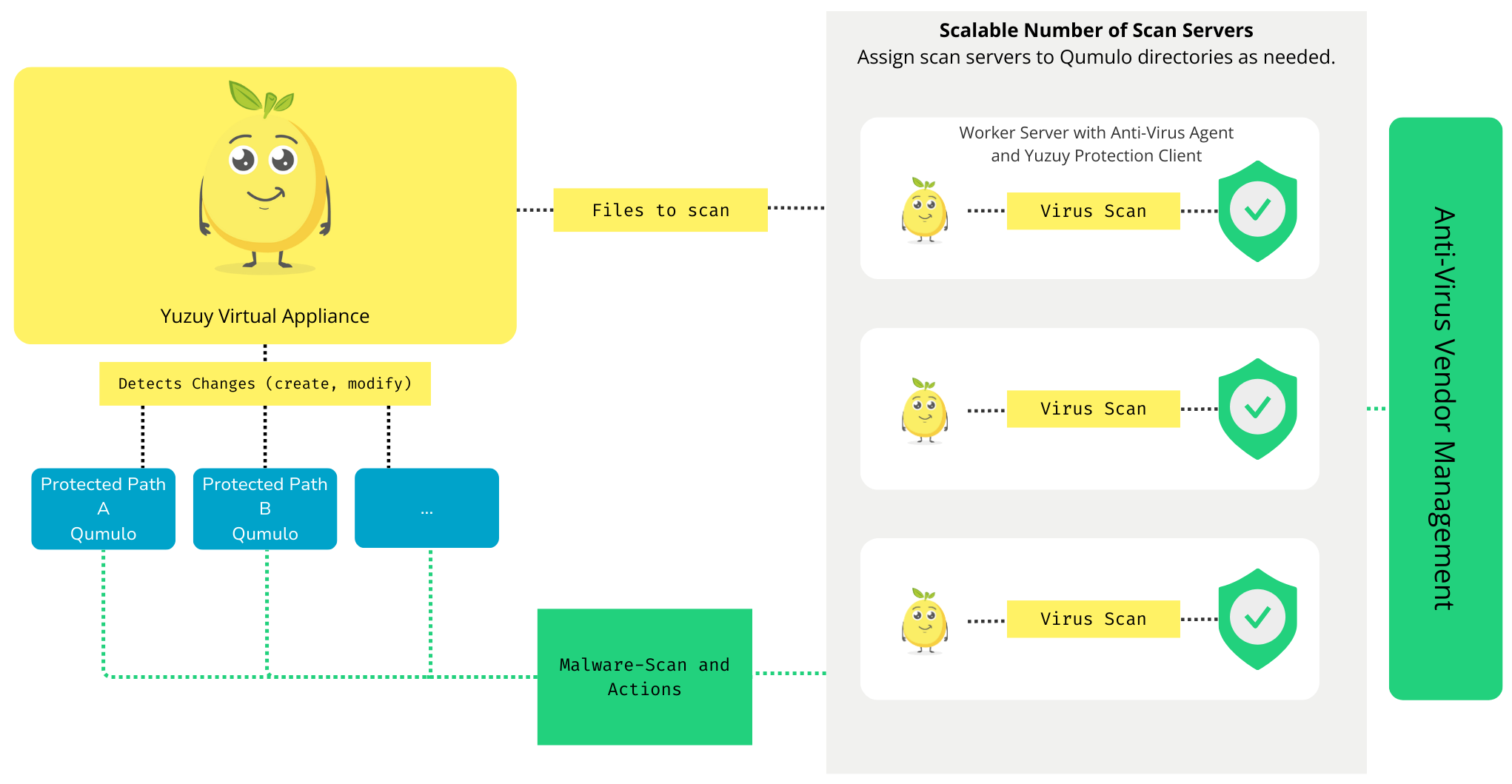
Yuzuy monitors file system changes in real-time, triggering scans upon file creation or modification.
Flexible Scalability
Deploy scan servers across your infrastructure for tailored scalability and optimal performance.
Seamless Integration
Leverage leading malware scanners of your choice to maintain a unified security architecture.
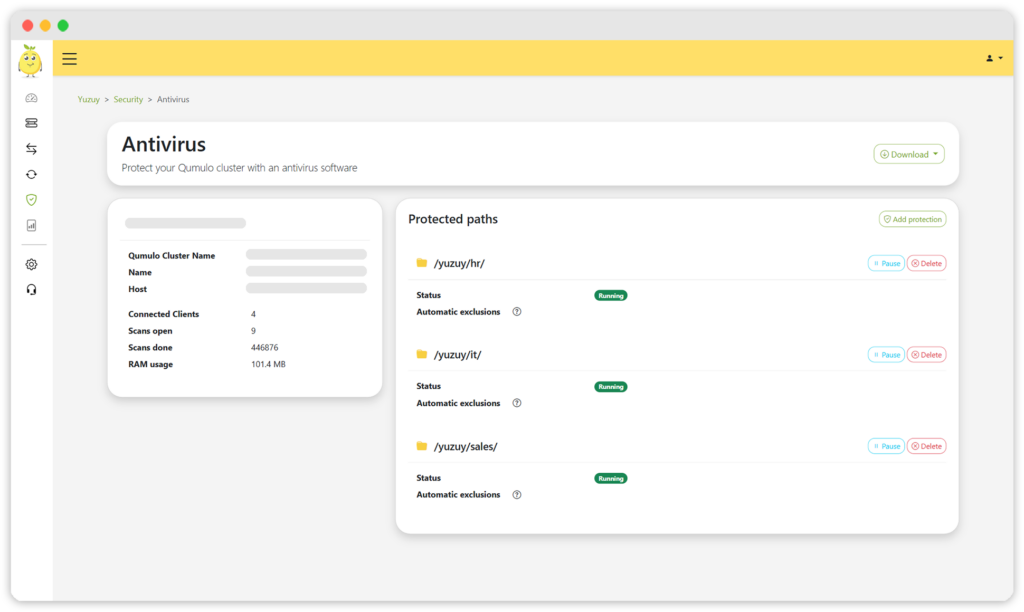
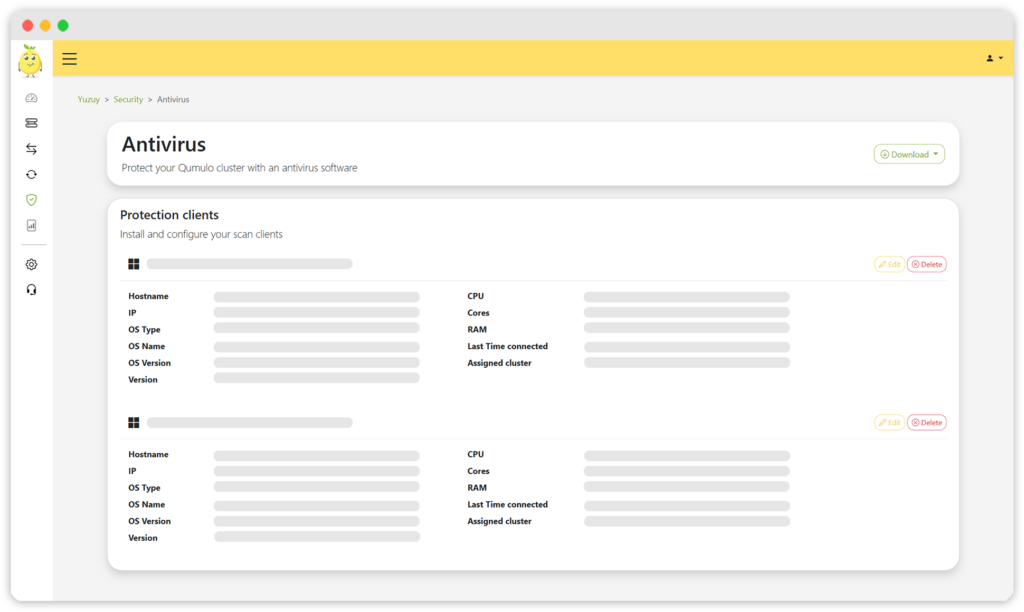
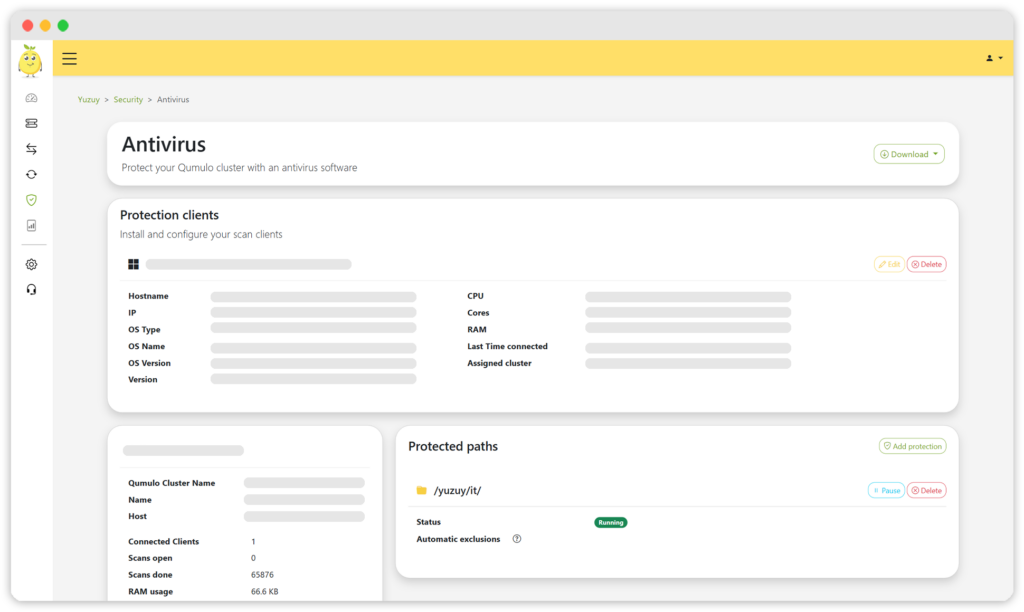
Yuzuy avoids introducing silos or performance bottlenecks. It delivers a balanced and efficient approach to detecting malware at scale.
This approach ensures fast, reliable malware detection without compromising your cluster’s performance.
How It Works:
No Additional Cost
The Anti-Virus Integration is included in your existing Yuzuy subscription, empowering your organization to enhance security without increasing cost.
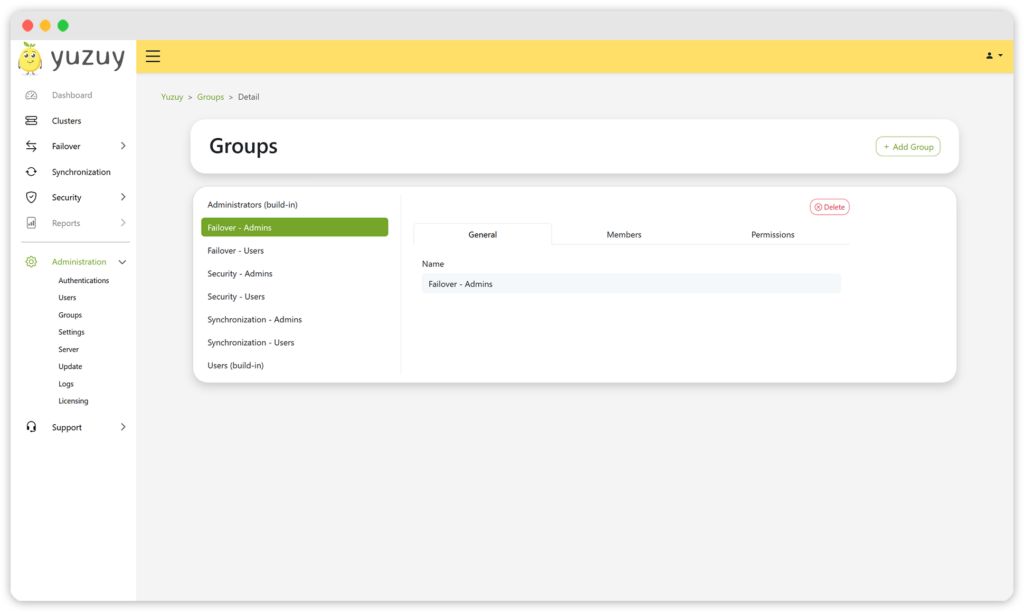
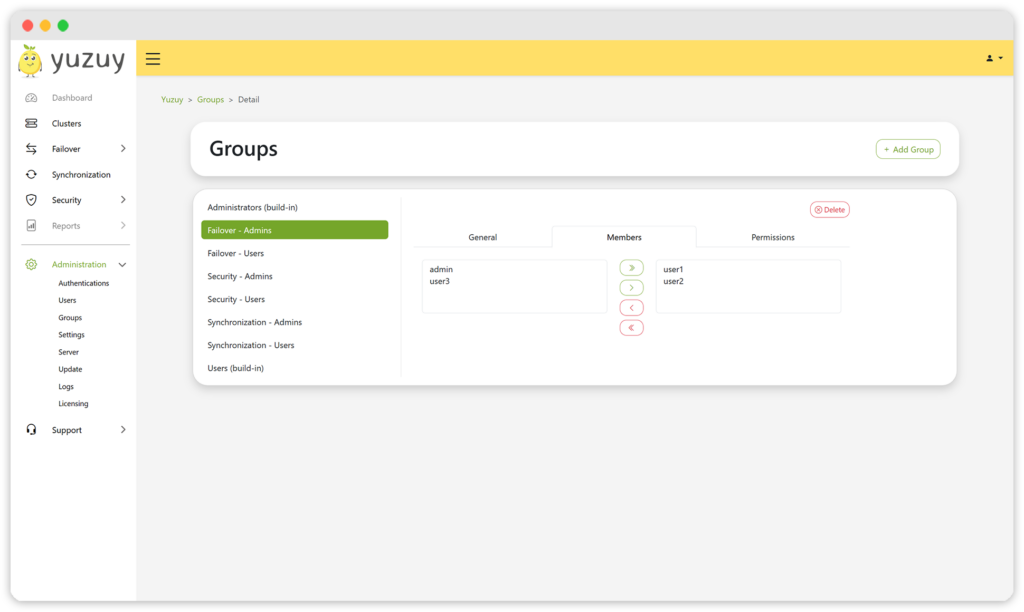
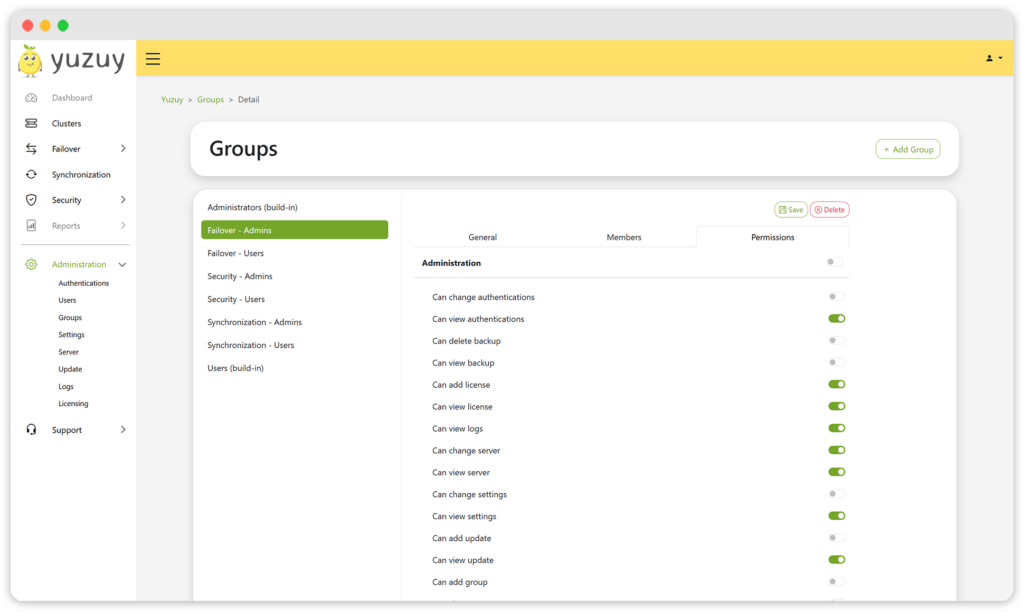
Groups and Permissions
The latest release introduces the ability to create groups and assign tailored permissions in Yuzuy. This makes it easy to set up task-specific groups with minimal permissions for assigned users. For example, if a user only needs the ability to start a failover → no problem!
Authentications
This release introduces AD/LDAP integration, enhancing user account management and ensuring compliance. If your organization requires support for additional identity and access management (IAM) providers, please reach out to us.
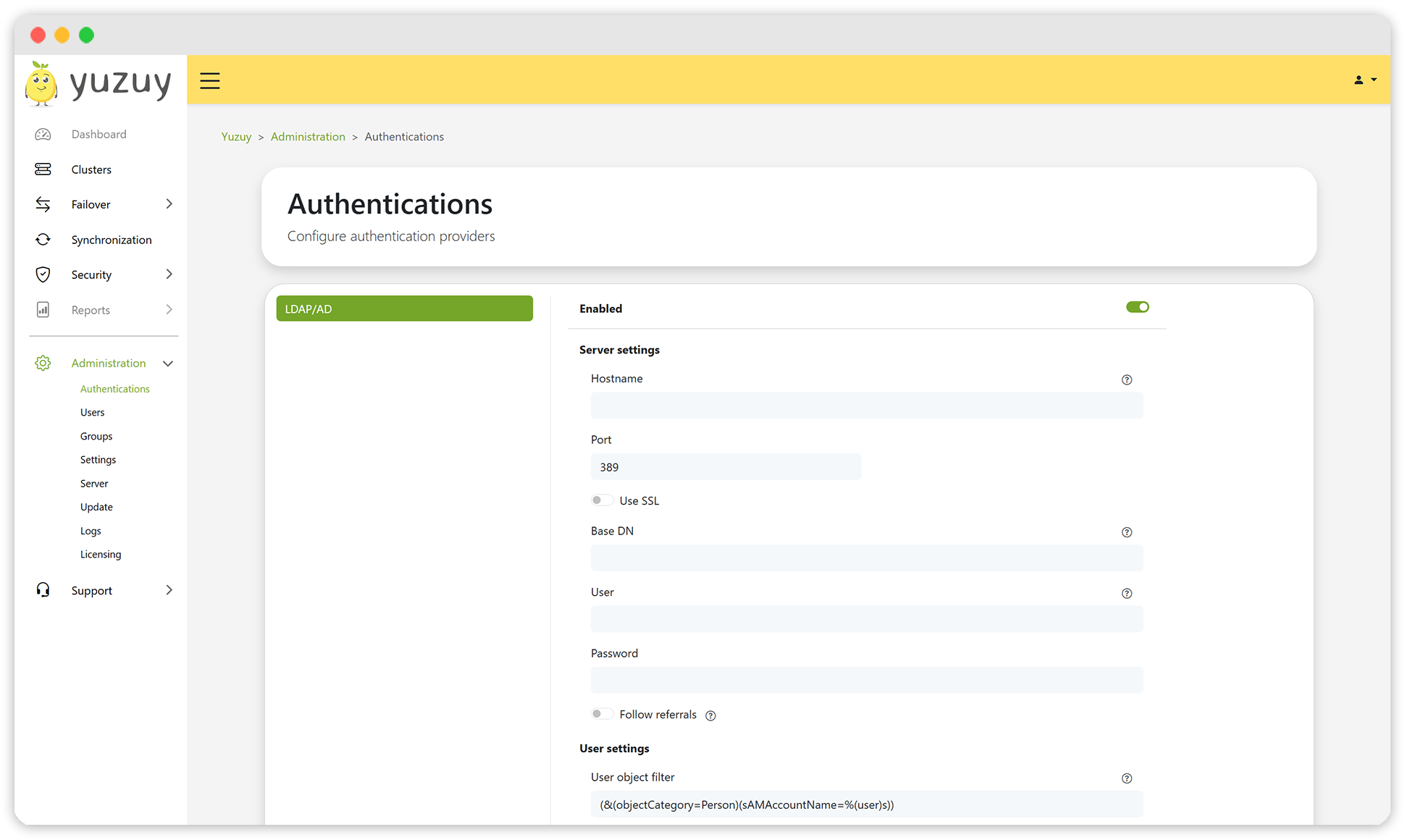
Please note that local user accounts remain the preferred option. In the event of an infrastructure disaster, connection issues with the IAM provider may prevent failover operations.
Changelog
Bug Fixes
- QUMULO-492 – fix wrong cron job format for cluster reinit
- QUMULO-490 – fix renaming SMB Share error during failover
- QUMULO-485 – fix communication error during reverse replication
New Features
- QUMULO-446 – create Windows Anti-Virus Protection Client integration
- QUMULO-474 – create security app
- QUMULO-475 – create antivirus app
- QUMULO-473 – create antivirus backend
- QUMULO-476 – create antivirus frontend
- QUMULO-494 – LDAP/AD authentication
Improvements
- QUMULO-429 – refactor and redesign users
- QUMULO-483 – refactor and redesign groups
- QUMULO-484 – update GUI icons
- QUMULO-488 – upgrade OS and software dependencies
- QUMULO-489 – add support 128-bit integer
- QUMULO-492 – background jumps to the top after opening a dialog
Where is the download?
To get the new update, please use my.yuzuy.com.