Appliance Management
Is my Yuzuy virtual appliance correctly sized, or does it require additional vCPU or RAM?
You now have the ability to monitor CPU and RAM usage, as well as the current disk space utilization. This feature assists in identifying potential hardware bottlenecks in your VM hosting the Yuzuy software.
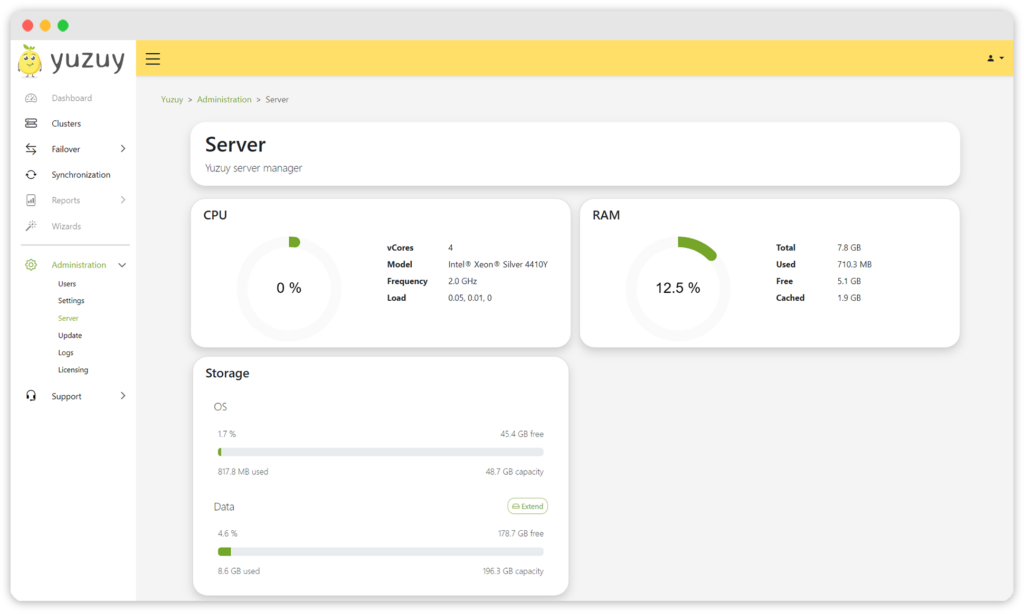
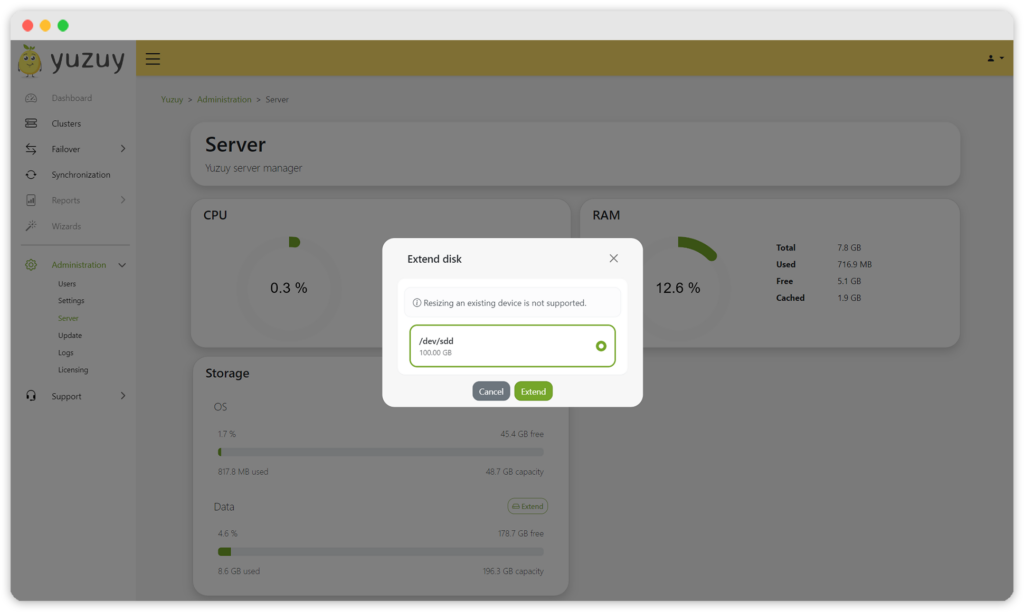
But that’s not all. Currently, there is only a 100 GB partition for data. However, as new features require a larger one, we have implemented a function to extend this partition.
Failover and Failback improvement
Data integrity between primary and secondary clusters is crucial, particularly during planned failovers or failbacks. Depending on the end-user workload, the final data transfer of a running replication job may take some time.
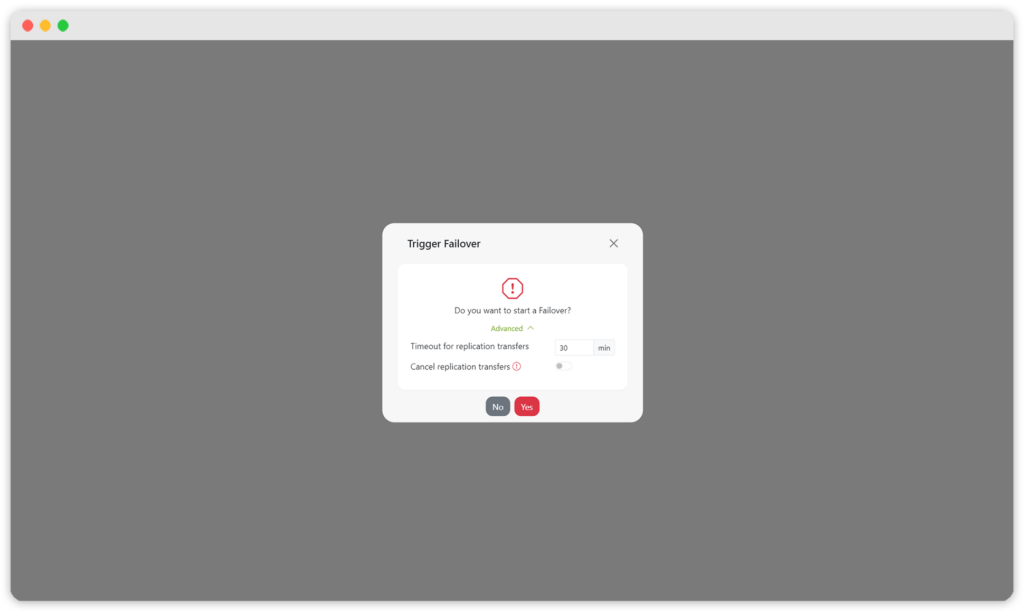
Now, you can specify a timeout to wait for transfers to complete before initiating a rollback or wait until all transfers are finished. If time constraints prohibit waiting, you can simply cancel the data transfer and continue the failback.
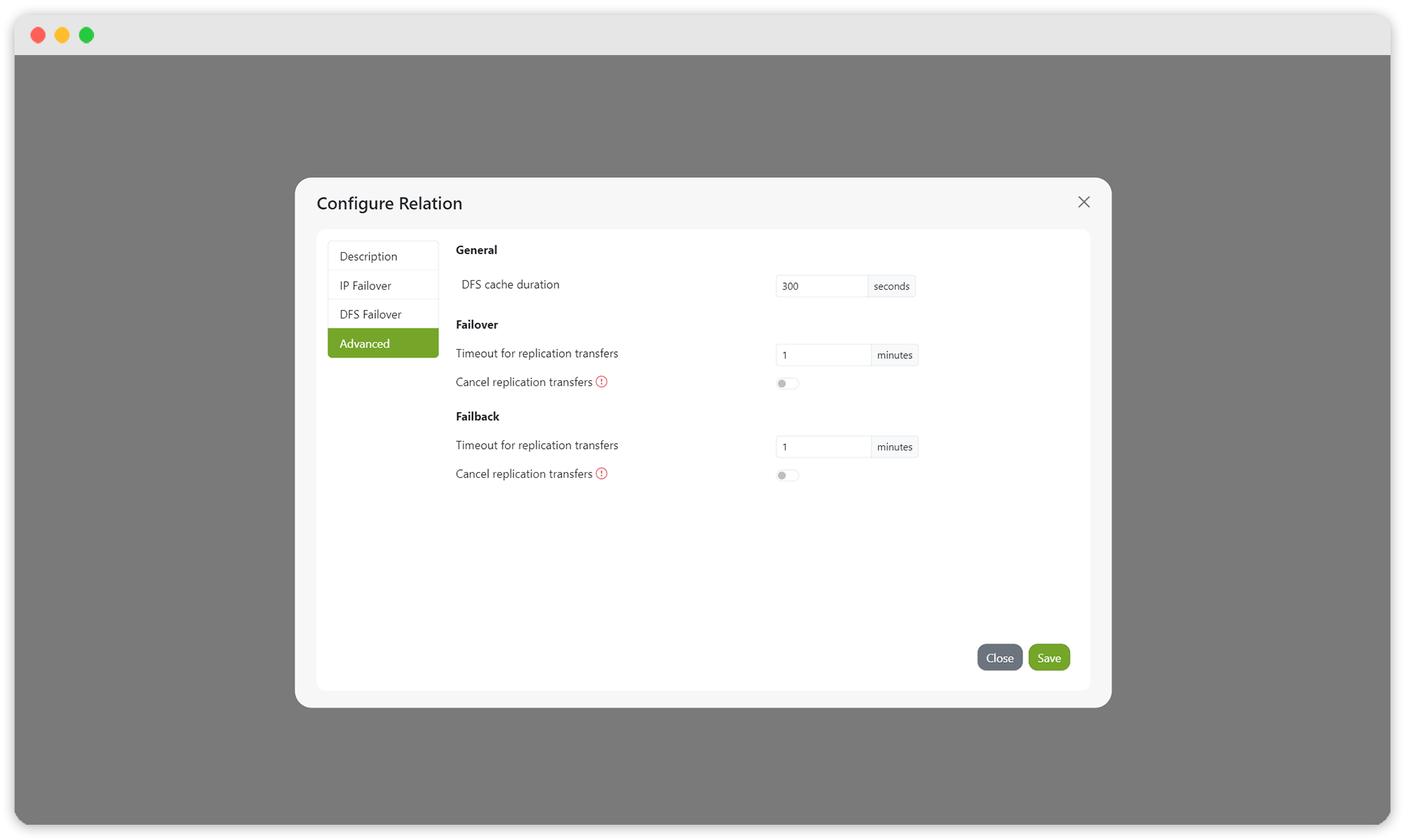
The timeout can be set globally for a failover relationship or temporarily during the start of a failover or failback.
Changelog
Bug Fixes
- QUMULO-459 – fix transfer check for failback with data rereplication
New Features
- QUMULO-443 – server status overview
- QUMULO-444 – disk space expansion
Improvements
- QUMULO-452 – rollback after failed failover
- QUMULO-451 – cancel running replications during failover/failover
- QUMULO-458 – upgrade OS and software dependencies
Where is the download?
To get the new update, please use my.yuzuy.com.